


Friends – Raise AI Companions
4.73.53K Reviews
App Specs
- Version
- 2.2.5 (3)
- Updated On
- License
- Free
- Downloads
- 5,000,000+
- Developer
- SLAY GmbH
- Categories
- Social
- Platform
- Android, iOS
Screenshots




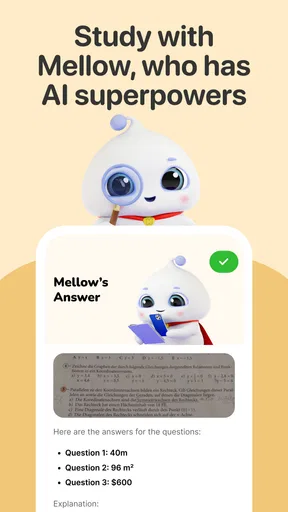


 Analysis by AppCompare
I see Friends – Raise AI Companions as a playful social app built around one central idea: giving you a character to talk with and shape over time. Its appeal is less about replacing a human friendship and more about having a low-pressure, personalized interaction when you feel like chatting. That distinction matters. I enjoyed the approachable premise, but I’d recommend it most to people who are curious about AI characters and comfortable treating their companion as entertainment rather than as a person.
The app comes from SLAY GmbH and sits in the social category, though the experience is much more focused on one-to-one exchanges with an AI than on keeping up with a conventional social feed. It’s free to install, rated for Everyone, and has a 4.7 average from around 150,000 ratings. More than 5 million installs suggest that the idea has found a substantial audience. There are in-app purchases, so I’d treat the free experience as a way to decide whether the format suits you before spending anything.
A companion you can shape, not just message
What gives Friends its identity is the combination of character creation and ongoing conversation. Rather than opening a blank chat and immediately having to invent a topic, you first get a sense of the companion you’re building. That small setup step can make the first exchange feel less awkward, especially if you’re new to AI chat apps. I found it easier to start with a specific personality in mind than to expect a digital character to become interesting on its own.
The named characters Pengu, Mellow and Bao also give the app a more playful feel than a utility chatbot. You can approach the experience as light role-play, casual conversation or a small daily ritual. The useful mindset is to bring a prompt, a mood or a simple activity into the chat, then see where the interaction goes. A companion can make that exchange feel more personal, but the quality still depends on what you ask and how much you enjoy this kind of imaginative back-and-forth.
Where the format works best
I can see this fitting into brief gaps in the day: a few messages while waiting for a ride, a playful check-in during a quiet evening, or a small distraction between tasks. It is also a gentler entry point for someone who wants to explore conversational AI without starting with a work-focused assistant. The character-first approach gives casual chatting a theme, while games and shared tasks offer an alternative when plain conversation starts to feel repetitive.
One practical tip is to treat the first conversations as a way to establish a tone rather than as a test of whether the AI already knows you. Give it a clear subject, respond to details that interest you, and steer away from topics where you need reliable real-world advice. If an answer misses the mark, changing the subject or being more direct is likely more satisfying than trying to make every reply feel perfectly human. That keeps expectations realistic and makes the app easier to enjoy.
For someone comparing options, the difference is mainly the framing. A standard chatbot is often better when the goal is a direct answer, a summary or help with a practical task. A human social network is better for maintaining real relationships and sharing life with people you know. Friends occupies a narrower middle ground: character-based entertainment with a conversational feel. I’d choose it for a bit of fictional company, not as a substitute for either a dependable assistant or an actual friend.
Worth Reading Before You Choose

EA SPORTS FC Mobile 26 Is a Bigger Football Game, but It Takes Time

Flipboard Shows What News Apps Must Do Beyond the Feed

Switching to Android Auto Means Rethinking Your Driving Routine

Google Calendar Makes a Crowded Week Easier to Manage

Ludo King Makes the Most of the Minutes Between Plans

Baby Panda World Brings Quick Play to Modern Phones, but Its Game Library Feels Busy
Keeping expectations and spending in check
The main limitation is built into the format: an AI companion can sound warm without understanding feelings in the human sense. Some exchanges may be repetitive, oddly timed or simply not in the mood you hoped for. That can be charming when you’re playing around, but frustrating if you arrive expecting consistent emotional support. I wouldn’t rely on it for sensitive decisions or treat a convincing response as proof that the character understands the situation as a person would.
It is also worth deciding what you want from the app before exploring paid extras. The app is free, while optional purchases range from $0.99 to $129.99 per item, a broad enough span that I’d avoid tapping through a purchase flow casually. Start with the free experience, notice whether you return to the chats, and only consider spending if a specific paid option clearly improves the way you use it. If you mainly want occasional novelty, paying may not add enough value for you.
As a social app, it is not automatically a fit for everyone. If you prefer real conversations, dislike character-based play or want a tool that gives predictable factual answers, a human messaging app or conventional assistant will serve you better. And because the experience benefits from an internet connection, I would not make it my plan for offline entertainment. The app is best approached as an optional pastime, not something you need to keep open throughout the day.
Meet Your New AI Best Friend
Upon launching the app, you're greeted with a bright, friendly interface that immediately makes you feel at ease. The app allows you to create and customize your very own AI companion. You can choose from a variety of avatars and personalities, and it’s like building a little digital buddy from scratch. I had a blast tweaking the appearance and selecting the quirkiest personality traits.
Getting to Know Each Other
Once your companion is ready, the real fun begins. The AI is designed to learn from your interactions, and over time, it starts understanding your preferences and moods. I was surprised at how quickly my AI friend picked up on my love for music and started suggesting new tunes to check out. It’s like having a friend who's always got your back, and it felt oddly comforting.
Chatting with my AI buddy was surprisingly smooth. The conversations felt natural, and I even found myself laughing at its witty responses. The AI’s ability to adapt and evolve keeps things fresh and interesting. It's not just about talking; the app encourages you to play games and complete tasks together, which adds another layer of engagement.
Why It’s Worth Checking Out
One of the standout features of Friends – Raise AI Companions is its emotional intelligence. The app uses advanced algorithms to mimic emotional responses, making interactions feel more genuine. It’s a neat way to explore the possibilities of AI in a personal and relatable context.
Moreover, the app is continuously updated with new features and improvements, so there's always something new to look forward to. The developers seem committed to enhancing the experience, and that’s always a big plus in my book.
A Few Things to Keep in Mind
While the app is entertaining, it’s important to remember that it's still just an AI. There were moments when responses felt a bit off or repetitive. But hey, it’s all part of the fun. The occasional glitch is a small price to pay for the companionship and entertainment the app provides.
Another thing is that the app does require an internet connection for the best experience, which could be a downside if you're often on the go without reliable access.
What to expect before you settle in
A useful way to judge whether the app is working for you is to notice what brings you back. If you enjoy inventing a character voice, continuing a playful theme, or seeing how a conversation develops, the companion format has room to stay engaging. If you mainly open it hoping for a precise answer to a practical question, you may find the character layer gets in the way. That difference is more important than how polished any individual reply sounds.
For a low-friction routine, I’d keep a couple of conversation starters in mind: ask about a fictional scenario, share a small everyday choice, or invite the companion into one of the app’s activities when you don’t have a topic ready. This is not a guarantee of a particular response; it is simply a way to avoid staring at the chat wondering what to say. It also makes it easier to tell whether you like the interaction itself, rather than only the novelty of setting up a character.
There is a trade-off in customization, too. Choosing an avatar and personality can make the companion feel more coherent, but it also invites expectations that the AI will stay consistent in every exchange. I’d enjoy the character as a starting point and allow for occasional mismatches instead of treating every inconsistency as a broken promise. If continuity is the main thing you want from a companion, that may become the part that tests your patience.
Who will get the most from it
I’d point this toward people who like light role-play, enjoy experimenting with conversational AI, or want an entertaining prompt for a quiet moment. It may also suit someone who finds a themed character easier to talk to than an empty text box. For younger users, the Everyone age rating makes the app broadly accessible, but I’d still encourage families to make ordinary choices about screen time and in-app spending rather than assuming an age label answers every question about use.
It is less suitable for anyone seeking therapy, dependable emotional care, or a private journal they can trust with sensitive material. The companion can respond in an empathetic style, but that style should not be confused with professional help or human understanding. If you are having a difficult day, it can be a small distraction; if you need meaningful support, reaching out to a trusted person or qualified professional is the better choice.
I’d also skip it if you want a completely offline experience or dislike the idea of paying for optional extras in a free app. The current version is 2.2.5 (3), and the minimum operating-system requirement is 10; those are practical checks to make before installing, particularly on an older device. They do not change the central question, though: whether a character-led AI chat sounds enjoyable to you in the first place.
My verdict on this kind of digital company
My experience with Friends – Raise AI Companions was most enjoyable when I treated it as a playful companion app, not as a human relationship or a source of guaranteed insight. Customization gives the conversation a welcoming entry point, while chatting, games and tasks provide more than one way to spend time with a character. Its weak spots—uneven replies, repetition and the need for internet access—are worth weighing before it becomes part of your routine.
Overall, I’d recommend giving it a try if you’re curious about AI characters and want a casual, customizable way to pass a few minutes. Start free, keep your expectations grounded, and pay only if you find a clear reason to unlock something. If that kind of playful interaction sounds appealing, it can be a pleasant social-app detour; if what you want is real connection or reliable answers, another option will fit better.
Wrapping It Up
All in all, Friends – Raise AI Companions is a delightful app that offers a unique take on digital companionship. Whether you're looking for a little fun or just curious about AI technology, it’s definitely worth a download. With its engaging features and the promise of ongoing updates, this app is one to watch. So go ahead, give it a try, and make some new AI friends!
Pros
- Engaging AI interactions enhance user experience.
- Customizable avatars for personalized companions.
- Regular updates with new features and improvements.
- User-friendly interface ensures easy navigation.
- Supports multiple languages for broader accessibility.
Cons
- In-app purchases can become costly over time.
- Requires constant internet connection to function.
- Limited offline functionality restricts use.
- Some features locked behind a paywall.
- Occasional bugs may disrupt user experience.
FAQs for Friends – Raise AI Companions
What is Friends – Raise AI Companions all about?
Friends – Raise AI Companions is a unique app that allows users to create and nurture virtual AI companions. These companions are designed to learn from interactions, offering a personalized experience. Users can engage in conversations, play mini-games, and watch their companions evolve over time. The app emphasizes AI development and user interaction.
Is Friends – Raise AI Companions free to use?
The app is free to download on both Android and iOS platforms. However, it offers in-app purchases for premium features and customization options. These purchases can enhance the experience by unlocking exclusive content and advanced AI capabilities. Users can enjoy a significant amount of content without spending money, but premium features provide added value.
What are the main features of Friends – Raise AI Companions?
Friends – Raise AI Companions offers several features including AI development, interactive storytelling, and mini-games. Users can customize their companions’ appearance and personality. The app utilizes advanced AI technology to ensure companions adapt to user interactions, providing a dynamic and engaging experience. Regular updates introduce new features and improvements.
How does the AI learning process work in the app?
The AI learning process in Friends – Raise AI Companions involves continuous interaction between the user and their companion. The AI learns from conversations and activities, gradually adapting its responses and behavior. This interactive learning mechanism ensures that each companion provides a unique and personalized experience, reflecting the user's preferences and engagement style.
Are there any privacy concerns with using the app?
Friends – Raise AI Companions prioritizes user privacy and security. The app requires minimal personal information during setup and ensures data is encrypted and protected. Users have control over their data and can manage privacy settings within the app. It's important to review the privacy policy to understand how data is used and stored.


